CRM apps for small teams that scale with you as you grow
For small businesses and sales teams, staying connected to customers doesn’t always happen behind a desk. Conversations, deals, and follow-ups unfold on calls, in meetings, and on the road — making a mobile-ready CRM essential for modern workflows.
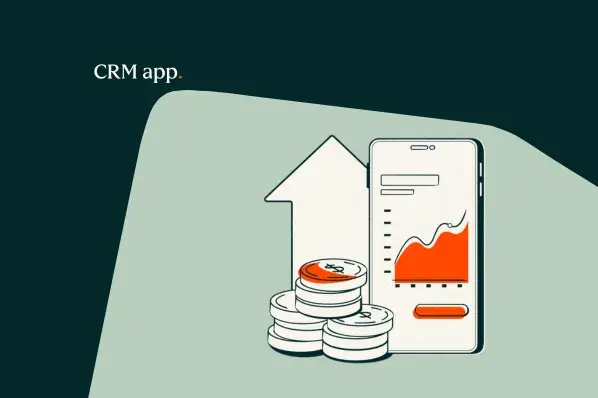
For small businesses and sales teams, staying connected to customers doesn’t always happen behind a desk. Conversations, deals, and follow-ups unfold on calls, in meetings, and on the road — making a mobile-ready CRM essential for modern workflows. A mobile CRM app puts the entire customer pipeline in reps’ pockets. It gives teams instant access to contacts, deals, tasks, calls, and analytics from anywhere. With HubSpot’s mobile app, reps can capture updates in real time and keep deals moving without waiting to get back to the office. This article shares everything teams need to know to choose a CRM app that fits their team’s dynamic workflow.
A mobile CRM app is a customer relationship management platform built for mobile devices such as smartphones and tablets. Mobile CRM apps enable on-the-go access to contacts, deals, tasks, calls, and email, giving sales teams real-time access to key data from anywhere. Mobile CRM apps deliver the full CRM experience away from the office, with features like offline access and fast data sync to ensure that all CRM activities — like logging a call or moving a deal stage — are captured immediately and accurately. For small or fast-moving teams, mobile CRM adoption often drives the first wave of productivity gains. Reps can update deals in seconds instead of hours, capture customer interactions in the moment, and spend less time on manual data entry. That speed and simplicity translate to higher adoption rates, cleaner data, and a stronger foundation for scaling sales operations as the business grows.
When it comes to choosing a mobile CRM, it’s important to consider features that matter now and as the team grows. Key features that scale well include:
1. **Offline Access**: Teams on the go need the ability to access and update customer data without an internet connection. A mobile CRM should support offline mode, syncing data once a connection is available.
2. **Real-Time Collaboration**: Sales teams often work in tandem, so a mobile CRM should allow multiple users to access and update the same data simultaneously. This ensures everyone has the most current information.
3. **Task Management**: Mobile CRM apps should include task management features, enabling reps to track and prioritize tasks directly from their devices. This helps keep the sales pipeline moving smoothly.
4. **Integration Capabilities**: As a business grows, it’s likely to use various tools and platforms. A mobile CRM that integrates with other apps and services (like email clients, calendars, or project management tools) can streamline workflows and reduce data silos.
5. **Scalability**: The mobile CRM should be able to grow with the team. This means it should support additional users, handle increased data volume, and offer customization options to adapt to changing business needs.
6. **Analytics and Reporting**: Mobile CRM apps that provide analytics and reporting features help teams understand performance and identify areas for improvement. These insights are crucial for optimizing sales strategies and growing the business.
7. **User-Friendly Interface**: A mobile CRM should be intuitive and easy to use, even for non-technical team members. A clean, user-friendly design encourages adoption and reduces the learning curve.
8. **Security and Data Protection**: As teams grow, so does the amount of sensitive customer data they handle. A mobile CRM should prioritize data security, offering features like encryption, multi-factor authentication, and compliance with data protection regulations.
9. **Customization Options**: Small teams often have unique workflows and processes. A mobile CRM that allows customization of fields, views, and workflows can better fit the team’s specific needs.
10. **Customer Support and Updates**: Lastly, consider the support and update policies of the mobile CRM provider. Regular updates ensure the app stays secure and compatible with the latest devices and software. Robust customer support is also important for resolving issues quickly and ensuring a smooth transition if needed.
Some of the best mobile CRM apps for small teams include:
- **HubSpot CRM**: Known for its user-friendly interface and robust features, HubSpot CRM offers offline access, task management, and integrations with various tools.
- **Salesforce Mobile**: Salesforce’s mobile app is highly customizable and integrates seamlessly with other Salesforce tools, making it a powerful choice for growing teams.
- **Pipedrive CRM**: This mobile CRM is known for its simplicity and affordability, with features like real-time collaboration and task management.
- **Zoho CRM**: Zoho CRM offers a mobile app with offline access, task management, and integrations with popular tools like Slack and Google Calendar.
- **Freshsales CRM**: Freshsales CRM is designed for small teams, with a focus on ease of use and powerful analytics.
When choosing a mobile CRM app, consider the team’s current needs and future growth potential. Evaluate the app’s features, pricing model (free vs. paid), and compatibility with existing tools. It’s also important to assess the ease of setup, adoption, and migration if transitioning from another CRM.
Free CRM apps can be a great option for small teams on a tight budget, but they may have limited features or advertising. Paid CRM apps often offer more advanced features and customization options, but may require a larger upfront investment.
To ensure a smooth transition to a new mobile CRM, consider the following setup, adoption, and migration checklist:
1. **Assess Current Needs**: Identify the key features the team requires and how the new CRM will address them.
2. **Evaluate Data Requirements**: Determine if the new CRM can handle the existing data volume and if any data migration is needed.
3. **Plan Training and Support**: Provide training for team members to ensure they understand how to use the new CRM effectively.
4. **Test the App**: Conduct a trial period to identify any issues or areas for improvement.
5. **Communicate Changes**: Inform team members and stakeholders about the transition and its benefits.
6. **Monitor Adoption**: Track usage and gather feedback to ensure the team is adopting the new CRM successfully.
7. **Provide Ongoing Support**: Offer help and resources to address any challenges that arise during the transition.
Frequently asked questions about mobile CRM apps include:
- **Q: Does a mobile CRM work offline?**
- A: Yes, many mobile CRM apps offer offline access, allowing users to capture data without an internet connection and sync it later.
- **Q: Can I integrate my mobile CRM with other tools?**
- A: Most mobile CRM apps support integrations with tools like email clients, calendars, and project management software, enhancing workflow efficiency.
- **Q: How do I choose the right mobile CRM for my team?**
- A: Consider the team’s current needs, growth potential, and compatibility with existing tools. Evaluate features like offline access, task management, and customization options.
- **Q: Is a mobile CRM more expensive than a desktop CRM?**
- A: Pricing varies by provider and plan. Some mobile CRM apps offer free tiers with limited features, while others may require a paid subscription. Compare features and pricing to find the best fit.
In conclusion, a mobile CRM app is a crucial tool for small businesses and sales teams looking to stay connected to customers on the go. By choosing a mobile CRM with scalable features, ensuring a smooth setup and adoption process, and considering the team’s unique needs, businesses can optimize their workflows and grow more efficiently.